


TIS_Donchian_Trend
$300.00
Indicador de tendencia basado en canal Donchian para NinjaTrader 8. Detectá breakouts y dirección de tendencia con señales limpias, listas para automatizar.
Donchian channel trend indicator for NinjaTrader 8. A signal on every trend change, optional filter, and a trend series to use as a directional filter.
Description
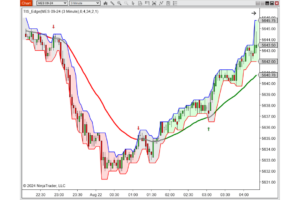
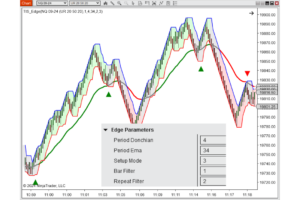
TIS_Donchian_Trend para NinjaTrader 8 define la dirección de la tendencia a partir de las rupturas de un canal Donchian y marca una señal en cada cambio. La línea de tendencia queda dibujada sobre el gráfico y funciona como soporte dinámico mientras la tendencia es alcista, y como resistencia dinámica mientras es bajista.
Cómo funciona
El canal se construye con el máximo y el mínimo de las últimas barras. Mientras el precio se mantenga dentro, la tendencia no cambia. Cuando lo rompe, la tendencia se da vuelta y el indicador marca la señal en la barra del cambio. La sensibilidad se ajusta con dos parámetros: el período del canal, que define cuánto tiene que moverse el precio para forzar un giro, y un umbral en ticks que exige un margen extra antes de aceptar la ruptura.
El modo de cálculo decide qué se compara contra el canal: High/Low usa los extremos de cada vela y reacciona antes, Close usa el cierre y descarta las mechas que perforan el canal sin sostener el movimiento.
De forma opcional, un filtro de media de Hull descarta los cambios de tendencia que no acompañan la dirección general. Si el filtro bloquea un giro, la señal se pierde y no se reintenta en las barras siguientes: el indicador espera al próximo cambio de tendencia real.
Características principales
— Definición objetiva de tendencia por ruptura de canal Donchian
— Señal de compra y venta en cada cambio de tendencia
— Dos modos de cálculo: High/Low para reacción temprana, Close para señales más firmes
— Umbral en ticks para exigir margen extra antes de aceptar la ruptura
— Filtro opcional de media de Hull con período configurable
— Coloreado opcional de las velas según la dirección de la tendencia
— Bandas superior e inferior, línea media y línea de filtro disponibles como series
— Serie de tendencia numérica expuesta para usar como filtro direccional en otras herramientas
Parámetros
| Parámetro | Descripción |
|---|---|
| Donchian Period | Cantidad de barras usadas para calcular el máximo y el mínimo del canal. |
| Mode | Modo de cálculo: 1 = High/Low, 2 = Close. |
| Threshold | Margen extra, en ticks, que el precio debe superar para validar la ruptura. |
| Use Filter ? | Activa el filtro de tendencia sobre las señales. |
| Filter Period | Período de la media de Hull usada por el filtro. |
| Color Up / Color Down | Colores de la línea de tendencia según la dirección vigente. |
| Paint Bars | Colorea las velas de precio según la dirección de la tendencia. |
| Signals Offset | Distancia, en ticks, entre la línea de tendencia y las marcas de señal. |
Series disponibles para otras herramientas:
— Upper y Lower: bandas del canal
— Mean: línea media del canal
— TIS Trend: la línea de tendencia dibujada
— Filter: la media de Hull del filtro
— Signal UP y Signal DN: las marcas de señal
— Trend: el estado numérico de tendencia, invisible en el gráfico y pensado para leerse desde otras herramientas
¿Para quién es?
TIS_Donchian_Trend sirve de dos maneras distintas. Como generador de entradas mecánicas, dando un long o un short en cada cambio de tendencia sin margen de interpretación. Y como filtro direccional para el resto de tu operativa, usando la serie de tendencia para habilitar solo las operaciones que van a favor.
Listo para automatizar con Markers
Las señales de cambio de tendencia quedan expuestas para que Markers las ejecute sin intervención manual. Markers no está incluido en el precio de este indicador y se vende por separado.
Compatible con NinjaTrader 8. Instalación en un paso desde Tools > Import > NinjaScript Add-On.
TIS_Donchian_Trend for NinjaTrader 8 defines trend direction from Donchian channel breakouts and marks a signal on every change. The trend line is plotted on your chart and acts as dynamic support while the trend is up, and as dynamic resistance while it is down.
How It Works
The channel is built from the highest high and lowest low of the last bars. While price stays inside, the trend does not change. When it breaks out, the trend flips and the indicator marks the signal on that bar. Sensitivity comes from two parameters: the channel period, which sets how far price must travel to force a flip, and a tick threshold that demands extra room before the breakout is accepted.
The calculation mode decides what gets compared against the channel: High/Low uses each bar’s extremes and reacts earlier, Close uses the close and discards the wicks that pierce the channel without holding the move.
Optionally, a Hull moving average filter discards trend changes that do not agree with the broader direction. If the filter blocks a flip, the signal is lost and not retried on later bars: the indicator waits for the next real trend change.
Key Features
— Objective trend definition from Donchian channel breakouts
— Buy and sell signal on every trend change
— Two calculation modes: High/Low for early reaction, Close for firmer signals
— Tick threshold to demand extra room before accepting a breakout
— Optional Hull moving average filter with configurable period
— Optional bar coloring by trend direction
— Upper and lower bands, mean line, and filter line available as series
— Numeric trend series exposed for use as a directional filter in other tools
Parameters
| Parameter | Description |
|---|---|
| Donchian Period | Number of bars used to calculate the channel high and low. |
| Mode | Calculation mode: 1 = High/Low, 2 = Close. |
| Threshold | Extra room, in ticks, price must clear for the breakout to be valid. |
| Use Filter ? | Enables the trend filter on the signals. |
| Filter Period | Period of the Hull moving average used by the filter. |
| Color Up / Color Down | Trend line colors for the current direction. |
| Paint Bars | Colors the price bars by trend direction. |
| Signals Offset | Distance, in ticks, between the trend line and the signal marks. |
Series available to other tools:
— Upper and Lower: the channel bands
— Mean: the midline of the channel
— TIS Trend: the plotted trend line
— Filter: the Hull moving average of the filter
— Signal UP and Signal DN: the signal marks
— Trend: the numeric trend state, invisible on the chart and meant to be read from other tools
Who Is It For?
TIS_Donchian_Trend works two different ways. As a mechanical entry generator, giving a long or a short on every trend change with no room for interpretation. And as a directional filter for the rest of your trading, using the trend series to allow only the trades that go with it.
Automation ready with Markers
The trend change signals are exposed so Markers can execute them with no manual intervention. Markers is not included in the price of this indicator and is sold separately.
Compatible with NinjaTrader 8. One-step install from Tools > Import > NinjaScript Add-On.
Solo los clientes que hayan comprado este producto pueden dejar una opinión.
Opiniones
Aún no hay opiniones.