TIS_Edge for TradingView
This indicator is available by subscription only. Subscribe on our TradingView page →Este indicador está disponible solo por suscripción. Suscribite desde nuestra página de TradingView →
Indicador de Pine Script que detecta pullbacks a favor de la tendencia: combina Donchian y EMA para definir la fase del mercado de forma objetiva y marca señales BUY/SELL. Compatible con alertas y con TIS_Automator.
Pine Script indicator that spots pullback entries in the direction of the trend: it pairs a Donchian channel with an EMA to define the market phase objectively and prints clear BUY/SELL signals. Alert-ready and compatible with TIS_Automator.
Description
TIS_Edge para TradingView es un indicador en Pine Script que detecta entradas de pullback dentro de tendencias ya establecidas. Combina un canal de Donchian con una EMA para definir de forma objetiva la fase del mercado, e imprime señales claras de BUY y SELL cuando el precio retrocede hacia la EMA, o hacia cualquier otra línea que elijas como referencia, siempre en la dirección de la tendencia.
Cómo funciona
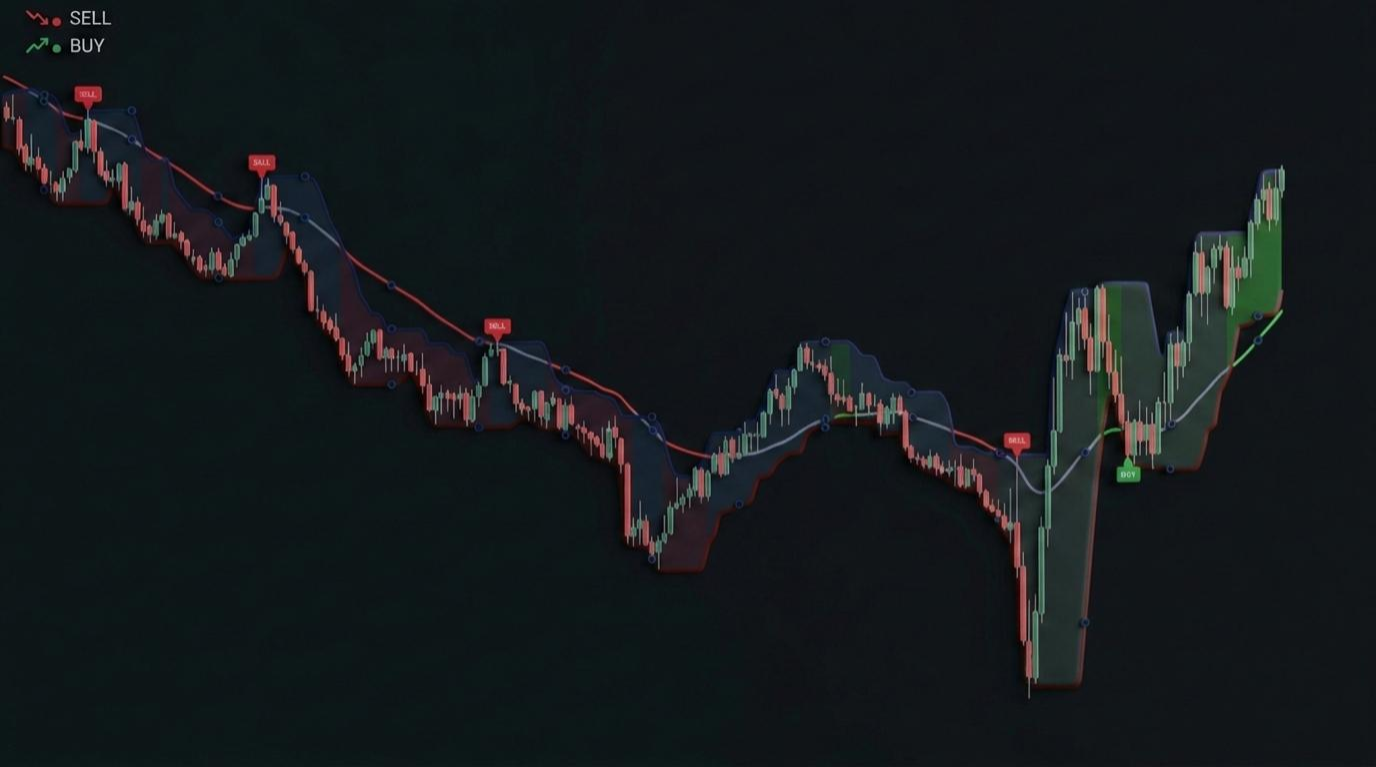
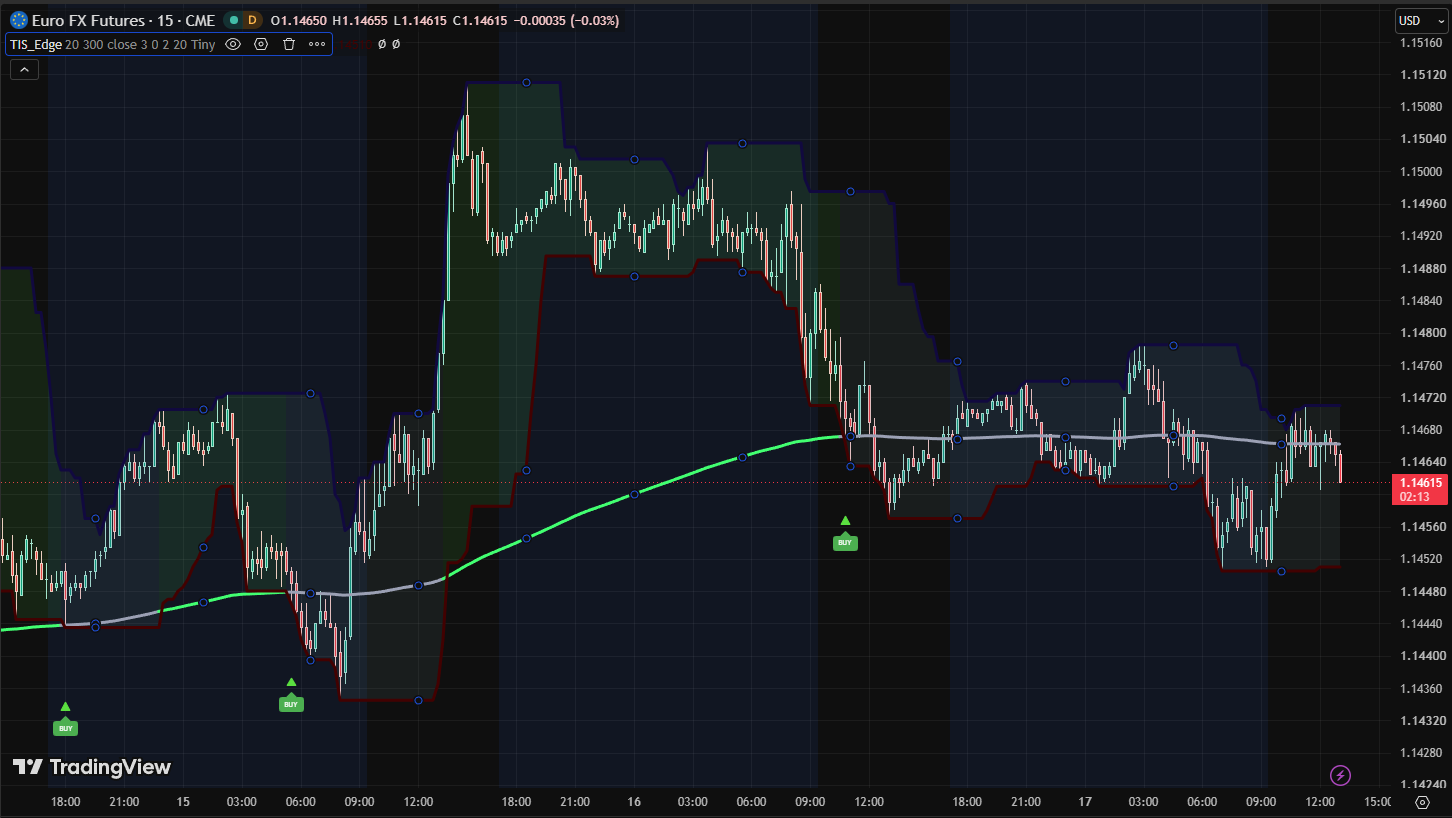
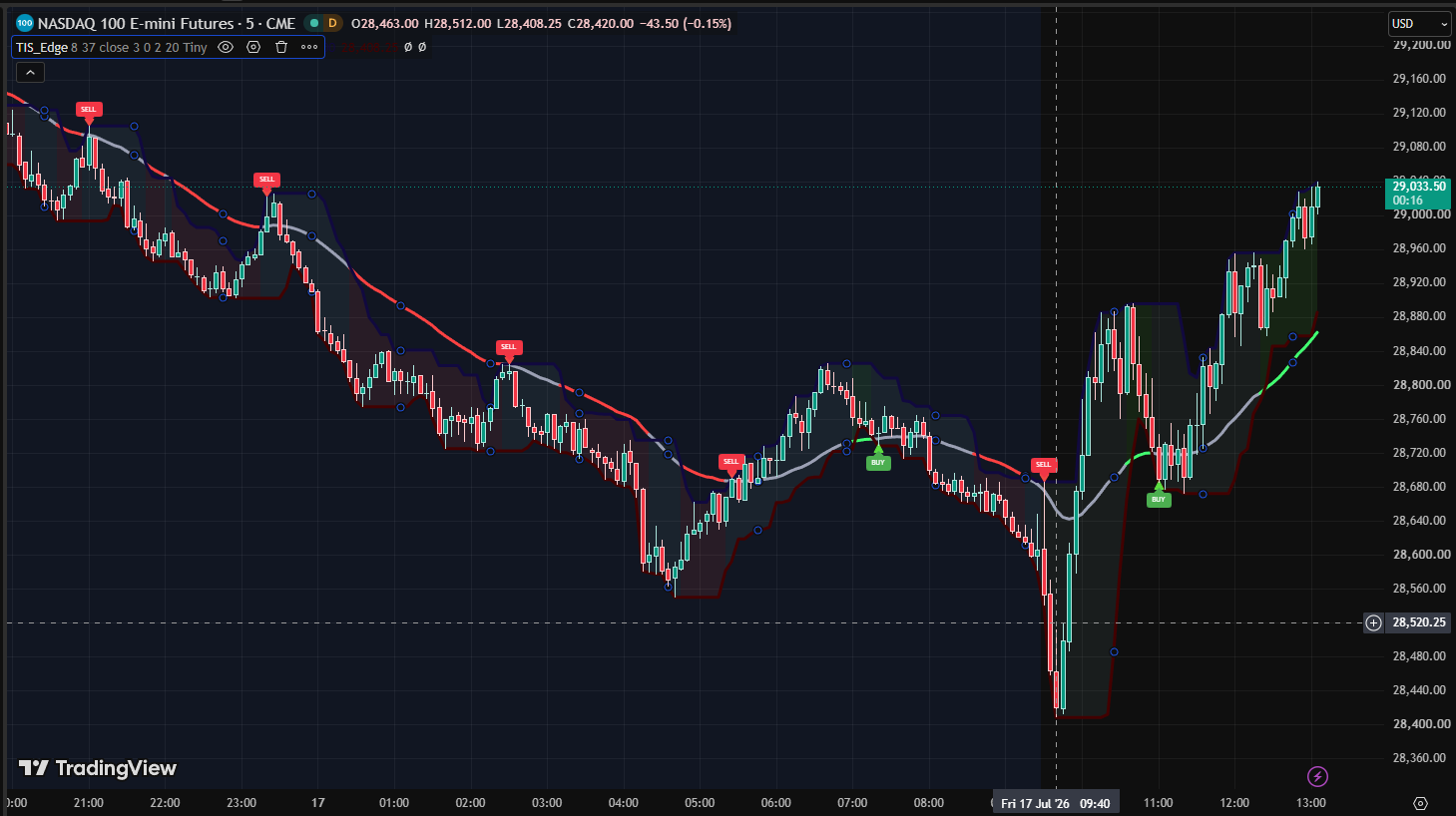
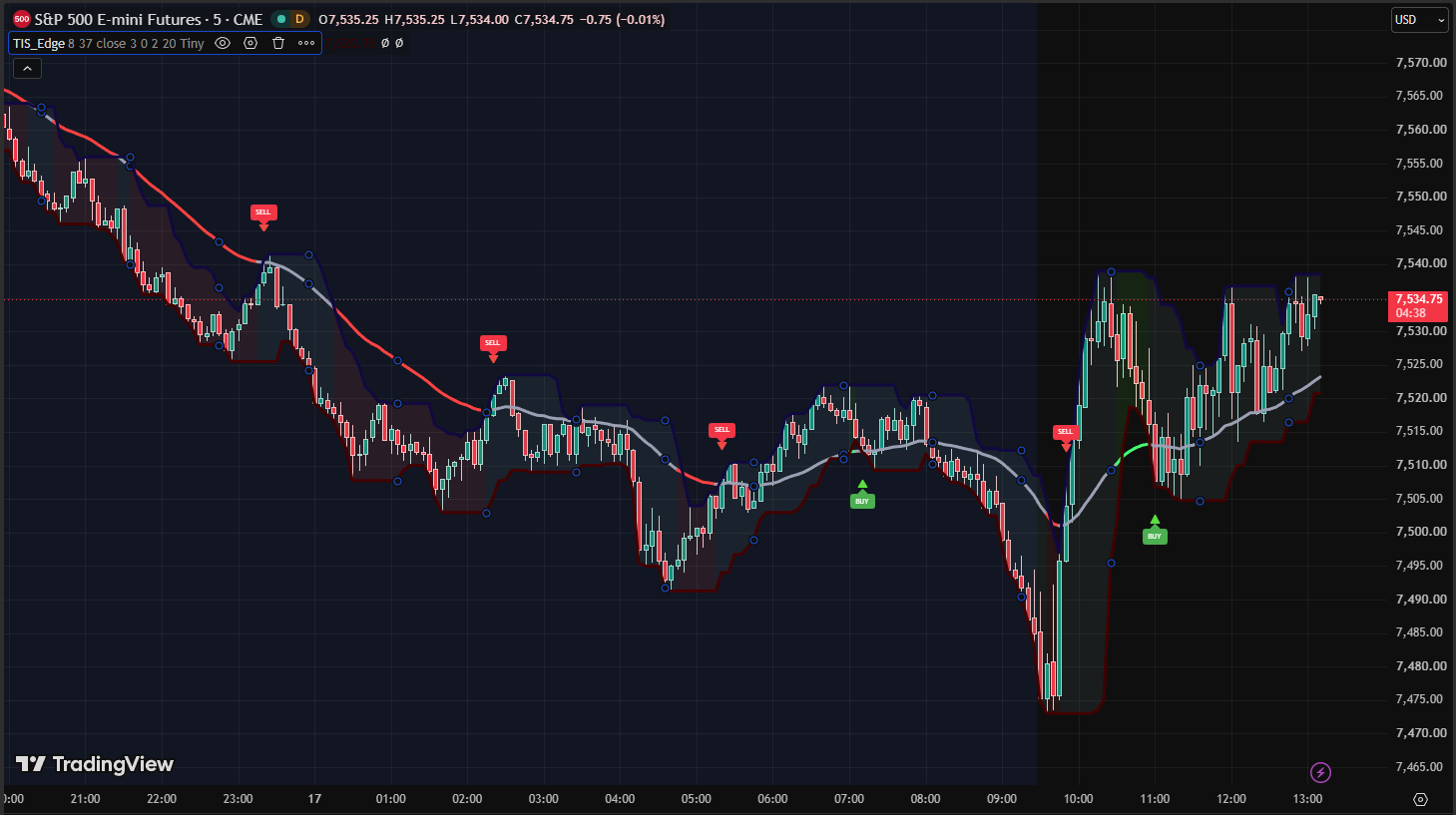
La posición de la EMA respecto del canal de Donchian define tres fases de mercado: tendencia alcista fuerte, tendencia bajista fuerte o neutral. La EMA se colorea según la fase y un sombreado de fondo opcional entre las bandas hace visible el estado actual de un solo vistazo. Una vez que la tendencia está establecida, TIS_Edge espera a que el precio retroceda hacia la línea de referencia y marca el setup.
Hay dos modos de setup disponibles. Clásico señala en el momento en que el precio toca la línea. Avanzado espera a que el precio se aleje nuevamente, confirmando el rebote. Podés usar cualquiera de los dos o los dos a la vez, y ajustar todavía más el setup con confirmación de vela y filtros de repetición de señal.
Características principales
▸ Definición objetiva de tendencia combinando EMA y canal de Donchian
▸ Señales BUY y SELL de pullback solo a favor de la tendencia
▸ Modos Clásico (toque) y Avanzado (recuperación), utilizables en conjunto
▸ Filtros configurables de vela y de repetición para una confirmación más estricta
▸ Línea de referencia reemplazable por cualquier otra línea del gráfico
▸ EMA coloreada por fase, sombreado de fondo y etiquetas BUY/SELL
▸ Funciona en cualquier símbolo y cualquier temporalidad soportada por TradingView
▸ Totalmente compatible con las alertas de TradingView
Parámetros
| Parámetro | Descripción |
|---|---|
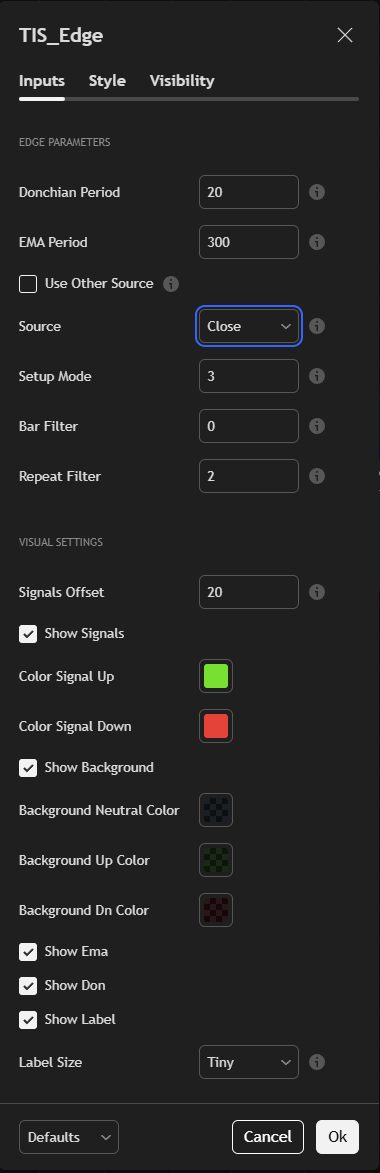
| Donchian Period | Período de análisis del canal de Donchian. |
| EMA Period | Período de la EMA de referencia por defecto. |
| Use Other Source / Source | Reemplaza la EMA por defecto con cualquier otra línea disponible en tu gráfico. |
| Setup Mode | 1 = Clásico (toque), 2 = Avanzado (recuperación), 3 = Ambos. |
| Bar Filter | Confirmación de vela: 0 = ninguna, 1 = color a favor, 2 = cierre a favor, 3 = ambos. |
| Repeat Filter | Repetición de señal: 0 = ninguna, 1 = una operación por lado, 2 = una operación por ciclo, 3 = ambos. |
| Signals Offset | Distancia, en ticks, entre las bandas y las marcas de señal. |
| Show Signals / Signal Colors | Activa las marcas de señal y personaliza sus colores. |
| Show Background / Background Colors | Activa el sombreado de fase y personaliza los colores alcista, neutral y bajista. |
| Show Ema / Show Don | Activa la EMA y las bandas de Donchian de forma individual. |
| Show Label / Label Size | Activa las etiquetas BUY y SELL y define su tamaño. |
¿Para quién es?
TIS_Edge es ideal para traders que compran pullbacks en tendencias alcistas y venden rebotes en tendencias bajistas, y que quieren una definición objetiva de cuándo hay una tendencia en juego. Encaja tanto con el trader discrecional que busca contexto visual claro como con el sistemático que se apoya en las alertas de TradingView para disparar su flujo de trabajo.
Listo para automatizar. TIS_Edge es totalmente compatible con nuestro sistema TIS_Automator: sus señales de BUY y SELL se automatizan de punta a punta, convirtiendo tus setups de pullback en ejecuciones sin intervención manual.
TIS_Edge for TradingView is a Pine Script indicator that detects pullback entries within established trends. It combines a Donchian channel with an EMA to define the market phase objectively, and prints clear BUY and SELL signals when price pulls back to the EMA, or to any other line you choose as reference, always in the direction of the trend.
How It Works
The position of the EMA relative to the Donchian channel defines three market phases: strong up trend, strong down trend, or neutral. The EMA is colored by phase and an optional background shading between the bands makes the current state visible at a glance. Once a trend is established, TIS_Edge watches for price to pull back to the reference line and marks the setup.
Two setup modes are available. Classic signals the moment price touches the line. Advanced waits for price to move back away, confirming the bounce. You can run either mode or both at once, and tighten the setup further with candle confirmation and signal repetition filters.
Key Features
▸ Objective trend definition combining EMA and Donchian channel
▸ Pullback BUY and SELL signals only in the direction of the trend
▸ Classic (touch) and Advanced (recovery) setup modes, usable together
▸ Configurable bar and repeat filters for stricter confirmation
▸ Reference line replaceable with any other line on the chart
▸ Phase-colored EMA, background shading, and BUY/SELL labels
▸ Works on any symbol and any timeframe supported by TradingView
▸ Fully compatible with TradingView alerts
Parameters
| Parameter | Description |
|---|---|
| Donchian Period | Lookback of the Donchian channel. |
| EMA Period | Period of the default reference EMA. |
| Use Other Source / Source | Replace the default EMA with any other line available on your chart. |
| Setup Mode | 1 = Classic (touch), 2 = Advanced (recovery), 3 = Both. |
| Bar Filter | Candle confirmation: 0 = none, 1 = color in agreement, 2 = close in agreement, 3 = both. |
| Repeat Filter | Signal repetition: 0 = none, 1 = one trade per side, 2 = one trade per cycle, 3 = both. |
| Signals Offset | Distance, in ticks, between the bands and the signal marks. |
| Show Signals / Signal Colors | Toggle the signal marks and customize their colors. |
| Show Background / Background Colors | Toggle the phase shading and customize the up, neutral, and down colors. |
| Show Ema / Show Don | Toggle the EMA and the Donchian bands individually. |
| Show Label / Label Size | Toggle the BUY and SELL labels and set their size. |
Who Is It For?
TIS_Edge is ideal for traders who buy pullbacks in up trends and sell rallies in down trends, and who want an objective definition of when a trend is in place. It fits discretionary traders looking for clear visual context as well as systematic traders who rely on TradingView alerts to trigger their workflow.
Automation ready. TIS_Edge is fully compatible with our TIS_Automator system: its BUY and SELL signals can be automated end to end, turning your pullback setups into hands-free executions.
Solo los clientes que hayan comprado este producto pueden dejar una opinión.
Related Products
-
-
-
-
Sale
¡Oferta!
Opiniones
Aún no hay opiniones.